
Aperi'Solve



Try it now: https://www.aperisolve.com
Support Aperi'Solve:

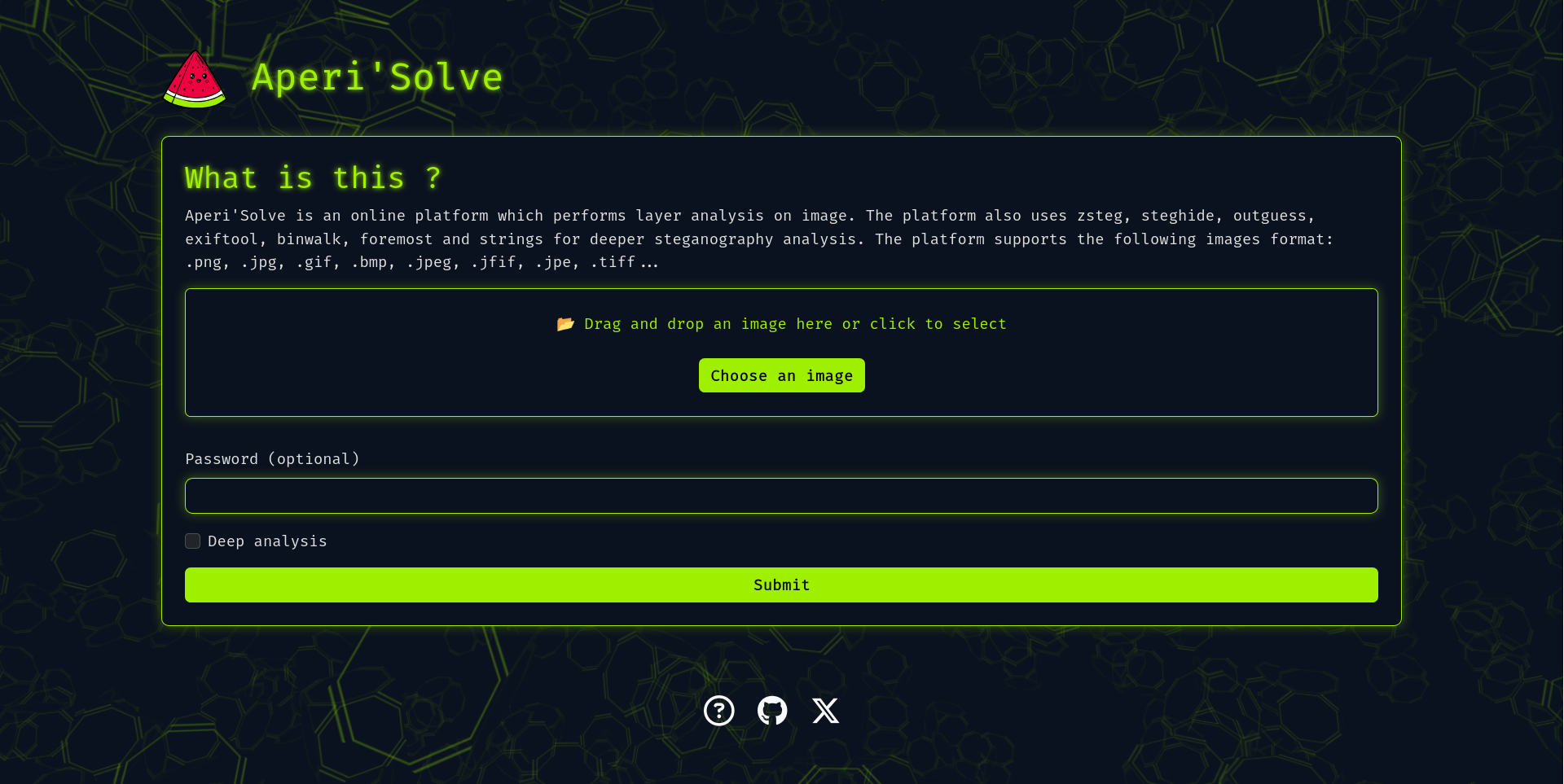
Aperi'Solve is an open-source steganalysis web platform that performs automated analysis on images to detect and extract hidden data using common steganography tools and techniques.
Table of contents
- Key features
- Quick start (Docker)
- Development
- Adding a new analyzer
- Configuration & environment variables
- Architecture
- Troubleshooting & tips
- Roadmap
- Contributing
Key features
- Visualize each bit layer (LSB and other layers) per image channel (R/G/B/Alpha).
- Browse and download each bit-layer image.
- Integrates and displays outputs from:
- Worker queue architecture for offloading heavy/slow analyzers (Redis + background workers).
- Results stored for later browsing and download.
Quick start (Docker)
In case you want to host your own version of https://www.aperisolve.com/.
Recommended: Docker + Docker Compose.
Clone and start the full stack (production-like):
git clone https://github.com/Zeecka/AperiSolve.git
cd AperiSolve
docker compose up -d
Default: http://localhost:5000/
Development
Development compose:
# development environment (hot reload and local volumes)
docker compose -f compose.dev.yml up --build
Useful commands:
# Stop and remove containers, networks and volumes (results are stored in a volume)
docker compose down -v

# Enter web container shell
docker exec -it aperisolve-web bash

# Enter Postgres shell (from host)
docker exec -it postgres psql -U aperiuser -d aperisolve

# Backup all uploaded files
docker cp -r aperisolve-web:/aperisolve/results /path/to/backup/location

# Backup a single uploaded file
docker cp aperisolve-web:/aperisolve/results/filename.ext /path/to/backup/filename.ext
Warning
Uploaded files are stored in a tmpfs. This means that they are stored in memory and will be lost if the server is restarted. Ensure that you back up any important files before the server is stopped or restarted.
Adding a new analyzer
Adding a custom analyzer is straightforward:
-
Create your analyzer file:
- Copy
aperisolve/analyzers/template_analyzer.py->aperisolve/analyzers/myanalyzer.py - Implement function signature similar to:
# aperisolve/analyzers/myanalyzer.py def analyze_myanalyzer(image_path: str, results_dir: str) -> dict: """ Perform analysis on image located at image_path. Produce outputs in results_dir and return a result dict (json-serializable). """ # your analysis logic here return {"name": "myanalyzer", "status": "ok", "outputs": [...]} - Copy
-
Register the analyzer in the worker pipeline:
- Edit
aperisolve/workers.py:
# import from .analyzers.myanalyzer import analyze_myanalyzer # add to analyzers list (preserve the order) analyzers = [ analyze_zsteg, analyze_steghide, # ... analyze_myanalyzer, ] - Edit
-
Add your analyzer to the UI order:
- Edit
aperisolve/static/js/aperisolve.jsand appendmyanalyzertoTOOL_ORDERso it appears in the frontend.
- Edit
-
Test locally: run the worker and submit jobs to ensure outputs are produced and displayed.
Tip
- Keep analyzers idempotent and write outputs to the provided
results_dir.- Return structured JSON so the frontend can render links/downloads automatically.
Configuration & environment variables
Typical services:
- Web app (Flask)
- Workers (Python)
- Redis (RQ)
- PostgreSQL
Main environment variables (examples):
- DATABASE_URL=postgresql://aperiuser:password@postgres:5432/aperisolve
- REDIS_URL=redis://redis:6379/0
- SECRET_KEY=change_me
- FLASK_ENV=production/development
Note
If using Docker Compose, defaults are set in the compose files. For production deployments, set secure secrets via your orchestrator or environment.
Architecture
- Flask web framework
- Background workers that run analyzers (queue via Redis)
- PostgreSQL stores image metadata and job statuses
- Docker-based deployment for isolation of analyzers and services
This separation keeps heavy tools (binwalk, foremost, zsteg, etc.) isolated and avoids blocking the web worker.
Troubleshooting & tips
- If analyzers don't produce output, check worker logs:
docker compose logs -f aperisolve-worker - To force re-analysis, remove results for the image (both file and in database) and re-submit the job.
- Ensure system packages needed by native tools (binwalk, foremost) are available in the analyzer containers or host image.
Roadmap
- [Bug] Duplicate key value violates unique constraint "submission_pkey"
- [Feature] Zsteg: full extraction (--all) and download of discovered files (mp3, etc.)
- [Feature] Mobile-friendly UI / test on mobile
- [Feature] i18n (internationalization)
- [Feature] Rootless / unprivileged analyzers
- [Feature] Improve analyzer sandboxing (e.g., per-analyzer containers)
Contributing
Contributions are welcome! Please:
- Fork the repository
- Create a feature branch
- Open a pull request describing your change
Important
Please follow the code style and run linters before submitting. The project adheres to:
- Black
- Flake8 (ignoring E203, E501, W503)
- Pylint (ignoring W0718, R0903, R0801)
- Mypy (ignoring unused-awaitable)
CI will run these checks on each PR.
Security
Warning
If you discover a security issue, please report it privately to the repository owner instead of opening a public issue.
Credits
Acknowledgements: